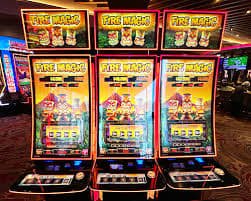
Download the 5l666 App and enjoy slots, Live Casino, and fish games anytime, anywhere. Lightweight, fast-loading, with full Bengali language support.
Android, iOS, or straight from your browser — play however you like. The same quality experience across all platforms.
Latest version: v3.2.1
Compatible with any phone running Android 5.0 or above. Download and install the APK directly — no Play Store needed.
Android APK DownloadLatest version: v3.2.0
Works seamlessly on both iPhone and iPad. Supported on iOS 13 and above. Optimized for smooth gameplay.
Download for iOSNo download required
Play instantly in your browser — no download needed. Works on Chrome, Firefox, and Safari. Perfectly optimized for both mobile and desktop.
Play in browserInstall the 5l666 app on your Android phone in just a few steps. The whole process takes under 5 minutes.
Go to the 5l666 website and create a new account or log in to your existing one.
Go to the download page and tap the Android APK button. The file will be saved to your phone's Downloads folder.
Enable Settings › Security › Unknown Sources or Install Unknown Apps. This only needs to be done once.
Open your File Manager or Downloads folder and tap the 5l666 APK file you downloaded.
Tap the "Install" button on the installation screen. The app will install automatically.
Open the app, log in with your ID and password, and start playing.
Open Safari on your iPhone or iPad and go to the 5l666 website.
Log in to your 5l666 account or create a new one.
Tap the Share icon at the bottom of Safari — it looks like a box with an arrow pointing upward.
Scroll through the share menu, find "Add to Home Screen", and tap it.
Keep the name as "5l666" and tap "Add" at the top.
The 5l666 icon will now appear on your home screen. Tap it to open the app directly, just like any native app.
When installing an APK on Android for the first time, you may see some warning messages. This is normal and happens because the app is being installed from outside the Google Play Store.
The 5l666 APK file is completely safe — free from malware and viruses, and regularly security-tested. If you still see a warning message, follow the steps below:
If you're still having trouble, reach out via 5l666's 24/7 support chat. Help is available in Bengali.
You can play directly on the website, but downloading the dedicated app gives you a much better experience.
Once the app is installed, game graphics and assets are cached locally. They don't need to reload each time, so games launch much faster.
Get notified directly on your phone whenever there's a new bonus, jackpot opportunity, or special offer. Never miss out again.
No need to remember your password. Log in quickly with your fingerprint or Face ID.
The native app uses less CPU and RAM than a browser. Even during long gaming sessions, your battery won't drain quickly.
The app runs smoothly even on 3G or weak connections. Graphics quality adjusts automatically based on your network speed.
The app includes an additional encryption layer that the browser version does not have. Your login credentials and payment data are kept even more secure.
Mobile gaming in Bangladesh has gone beyond entertainment — for many, it's become a source of income too. The 5l666 app was built with exactly that in mind. Not just slots, but Live Casino, fish games, and Sports Betting — all in one app.
After the first download, updates are delivered automatically — no need to search for new versions manually. Each update adds new games and fixes existing bugs.
Many users wonder how much mobile data the 5l666 app uses. Slot games typically consume around 50–80 MB per hour. Live Casino in HD mode uses a bit more — roughly 150–200 MB per hour — but switching to SD mode brings that down significantly.
Playing over Wi-Fi? You're all set. If you're on mobile data, you can enable "Low Data Mode" in the app settings — graphics will be slightly reduced, but gameplay stays smooth.
Some games on the 5l666 app are available in demo mode without an account. However, to play with real money and withdraw winnings, registration is required. Signing up is completely free and takes just a few minutes.
The 5l666 app works on Android 5.0 (Lollipop) and above. For best performance, 1 GB RAM or more is recommended. The app runs smoothest on devices with 2 GB RAM or higher.
On iOS, the app is fully supported on iPhone 6s and later models running iOS 13 or above. For older models like iPhone 5s or earlier, we recommend using the browser version.

System requirements
| Topic | Android | IOS |
|---|---|---|
| Minimum OS | Android 5.0+ | IOS 13+ |
| RAM | 1 GB (2 GB recommended) | 2 GB+ |
| Storage | 50 MB Free | 60 MB Free |
| Internet | 3G or Wi-Fi | 3G or Wi-Fi |
| App Size | 35 MB | 42 MB |
What's in the App
Regular updates are one of the most important aspects of a great gaming app. The 5l666 team monitors app performance every week and resolves issues quickly. When users report a bug or problem, a fix is typically released within 48 hours.
Every major update adds new games, improves the interface, and includes security patches. 5l666 users get first access to new games and features. Keep update notifications on so you're notified as soon as a new version is available.
When a new version is available on Android, an update prompt appears when you open the app. You can download and install the new APK directly from there. No need to uninstall the old version — installing the update replaces it automatically, keeping your account and settings intact.
5l666 never sells your personal information to third parties. Your gaming history, payment details, and personal data are stored fully encrypted. To learn more about our privacy policy, Privacy Policy View page.
Here are the most frequently asked questions about downloading and installing the 5l666 app.